Last updated · Written and tested by The PixelArtFromPhoto team, who build and maintain this tool.
This free photo to pixel art converter shrinks your picture onto a grid of square pixels, maps every pixel to a small palette and scales it back up with hard edges, the way pixel artists work by hand. Because it runs on your own device it is instant, private and unlimited, and it works the same for a selfie, a pet, a landscape or a logo.
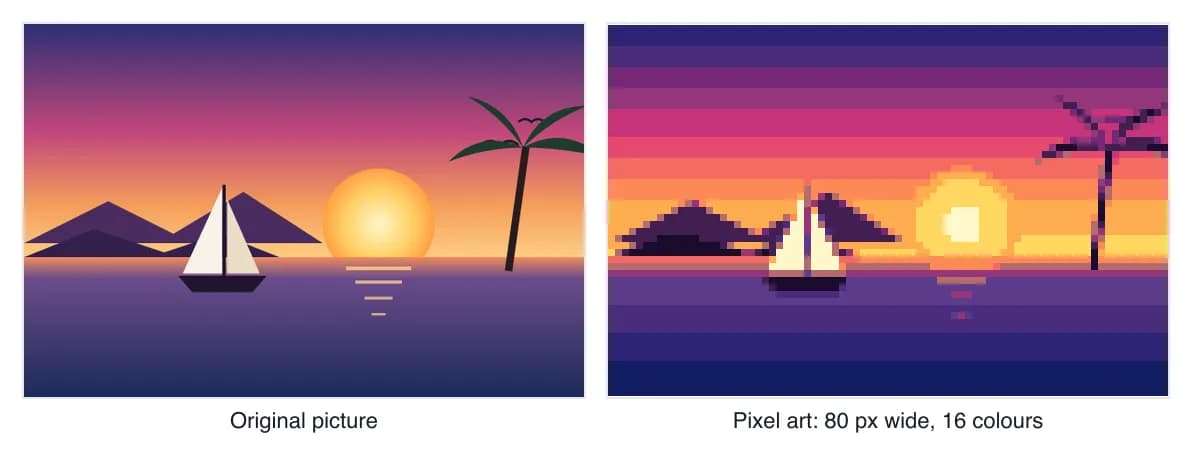
How to turn a photo into pixel art
It takes about a minute, and every slider updates the preview straight away.
- Add your photo. Drop it on the box, paste it with Ctrl+V or Cmd+V, or tap Choose an image on a phone. JPG, PNG, WebP and GIF all work.
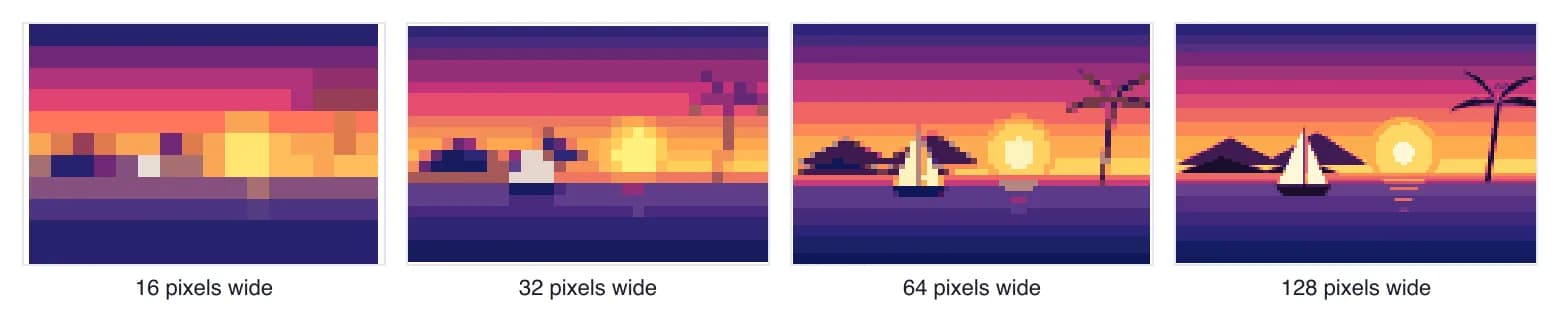
- Set the pixel size. This is the width of the finished art in pixels. 32 to 64 gives a classic sprite look, 80 to 150 keeps faces recognisable.
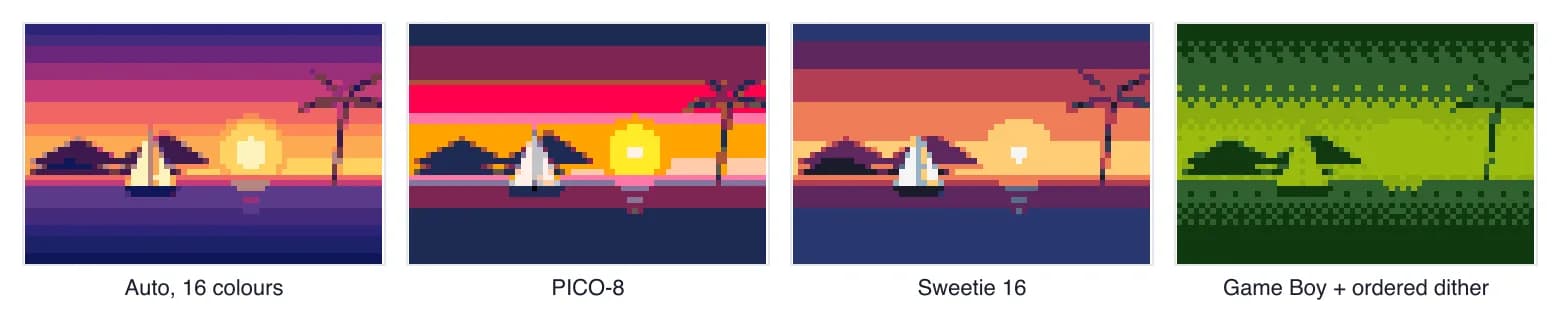
- Pick a palette. Auto finds the best colours for this photo. Retro palettes such as PICO-8 or Game Boy give an instant console look.
- Fine-tune. Lower Max colours for a bolder result, add dithering for smoother gradients, or add a dark outline for a cartoon feel.
- Download. The PNG is scaled up with nearest-neighbour so every pixel stays sharp, or choose True size for game engines.
Best settings for picture to pixel art
Good pixel art is mostly about two numbers: how many pixels wide, and how many colours. These starting points work for most pictures.
| What you are making | Width | Colours | Dithering | Outline |
|---|---|---|---|---|
| Game sprite or emoji | 16-48 px | 4-12 | None | Dark edge lines |
| Profile picture or avatar | 48-80 px | 12-24 | None or Atkinson | Optional |
| Landscape or sunset | 80-128 px | 16-32 | Floyd-Steinberg | None |
| Bead pattern (one pegboard) | 29 px | 8-15 | None | Optional |
| Cross stitch portrait | 80-150 px | 15-30 | Light (30%) | None |
Photos with a clear subject and good contrast convert best. If the result looks muddy, crop closer to the subject first, then raise Contrast a little in Adjust colours. Busy backgrounds steal colours from the subject, so a plain background helps a lot.
Palettes: retro consoles, crafts or your own
A palette is the fixed list of colours the art may use. Auto builds the best palette for your photo with median-cut and k-means clustering. Retro palettes recreate real hardware and community favourites: PICO-8, Game Boy, Commodore 64, CGA, Sweetie 16 and Endesga 32. You can also paste any hex codes, for example a palette from Lospec or your brand colours. The full lists are on our pixel art palettes page.
Colour matching uses the OKLab colour space, which follows human perception much more closely than plain RGB distance. In practice skin tones stay warm and dark shades stop jumping to odd blues or purples.
Dithering: when to use it
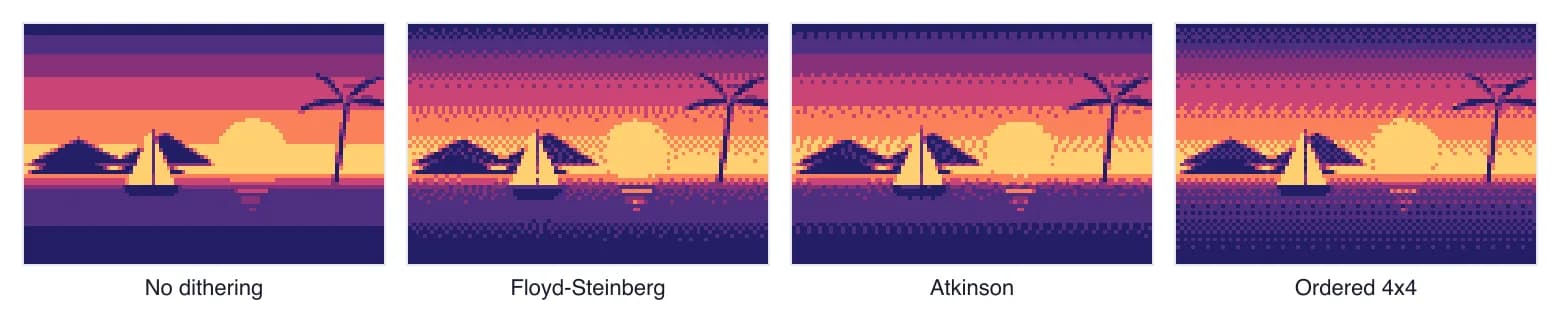
Dithering scatters two palette colours so your eye blends them into a shade the palette does not have. It is the classic trick behind 8-bit and 16-bit graphics. Use Floyd-Steinberg for smooth photos, Atkinson for a lighter, high-contrast look, and Ordered for a regular retro pattern. Leave it off for flat, clean game art and for bead patterns, where scattered single beads are fiddly to place.
From a photo to beads, stitches or blocks
Choose a craft palette and the converter uses real product colours and lists exactly how many of each you need. Perler, Hama and Artkal bead patterns show how many 29 x 29 pegboards you need, the cross stitch pattern maker maps to DMC thread numbers, and the Minecraft pixel art generator counts blocks. Pro turns any of these into a printable PDF with a symbol chart and one page per pegboard.
Need to hide something instead of stylise it? Use pixelate image for faces, licence plates and text, or blur image for backgrounds.
Pixel art converter or AI pixel art generator?
A converter like this one is exact: the same photo and settings always give the same pixels, the colours come from your palette, and it costs nothing to run. AI generators redraw the picture and can invent detail, which is great for game art but less faithful, and they usually sell credits. We checked prices on October 2026:
| Tool | How it works | Price |
|---|---|---|
| PixelArtFromPhoto | In-browser converter, optional AI style | Free; Pro $4.99/month or $29/year |
| Easemate AI | AI generator, credits | Lite $9.90/month |
| Pixelcut | AI photo editor, credits | Pro $10/month or $8/month yearly |
| Online PNG Tools | Pixelate effect, 5 free uses a day | From $6/month billed yearly |
Want both? Pro includes an AI pixel style that redraws your photo as game art first, then this converter snaps it to clean pixels and a real palette.
Common mistakes
- Too many pixels. Past about 150 pixels wide the result looks like a blurry photo, not pixel art.
- Too many colours. Pixel art reads best with a limited palette. Try halving Max colours.
- Resizing the PNG yourself. Image editors smooth the edges. Use our export sizes, or resize with nearest-neighbour.
- Saving as JPG. JPG compression smears hard pixel edges. Keep pixel art as PNG.
Photo to pixel art FAQ
How do I turn a photo into pixel art?
Drop the photo into the converter at the top of this page. Set the pixel size (start around 64 pixels wide), pick a palette and a maximum number of colours, then click Download PNG. The preview updates as you move each slider, and it all happens in your browser.
Is this pixel art converter really free?
Yes. Converting, every retro palette, dithering, outlines and PNG downloads up to 1024 px are free with no watermark and no account. Pro adds printable bead and cross stitch PDFs, exports up to 8192 px, SVG, batch conversion and an AI pixel style.
What is the best pixel size for picture to pixel art?
For a retro sprite or avatar, 32 to 64 pixels wide. For a recognisable portrait or a landscape, 80 to 128. For bead or cross stitch patterns, match your board or fabric: one Perler square pegboard is 29 pegs, and 100 stitches on 14-count Aida is about 7 inches.
How many colours should pixel art have?
Classic pixel art often uses 8 to 32 colours. Fewer colours look bolder and more retro; more colours keep skin tones and gradients smooth. Start at 16 and lower it until the image starts to lose something you care about.
Are my photos uploaded anywhere?
No. The image is decoded and converted inside your browser, so it never reaches our server. The only exception is the optional Pro AI pixel style, which sends one resized copy to our image model for processing and does not store it.
What does dithering do in pixel art?
Dithering mixes two palette colours in a checker or noise pattern so the eye sees an in-between shade. It makes skies and skin smoother when you have few colours. Turn it off for clean, flat game-style art, and use ordered dithering for a deliberate retro texture.
Can I make pixel art with a transparent background?
Yes. Upload a PNG that already has a transparent background and keep the Keep transparent background option on. The downloaded PNG stays transparent, and the Around transparent subject outline adds a sticker or sprite style border.
Can I use the pixel art commercially?
Yes, pixel art you make here is yours to use, including for sale, as long as you own the rights to the original photo. Palettes such as PICO-8 are colour lists, not artwork, so using them is fine. See our Terms for details.